Licenses
The Licenses page shows organization licenses, how they are used, and controls to renew or purchase licenses.
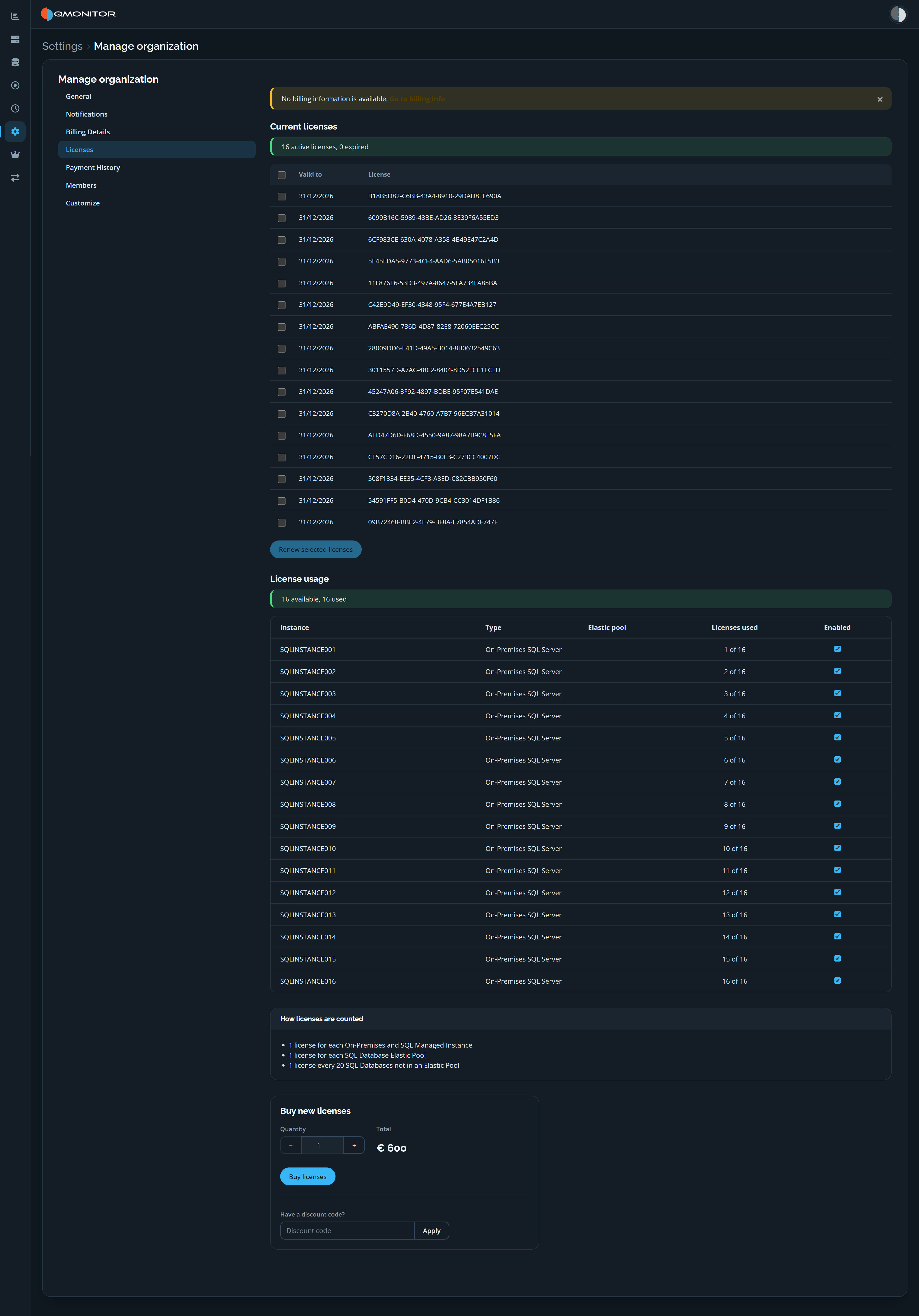 Organization Licenses page showing current licenses, per-instance usage, and purchase controls
Current licenses
The summary reports the number of active and expired licenses. The table lists each license’s expiration date and license identifier; select one or more rows to renew them with Renew selected licenses.
If billing information is missing, a notice links to Billing Details before purchase. Payment is processed by Stripe; QMonitor does not store payment methods or credit card numbers.
License usage
The usage summary shows how many licenses are available and used. The table lists each instance, its type, elastic pool (when applicable), licenses used, and whether it is enabled.
The page explains how license usage is counted:
- One license for each on-premises SQL Server or SQL Managed Instance.
- One license for each SQL Database elastic pool.
- One license for every 20 SQL Databases that are not in an elastic pool.
Buy new licenses
Use the Buy new licenses controls to choose a quantity, review the total, and optionally apply a discount code before selecting Buy licenses. Billing details must be complete before checkout.