Billing Details
Billing Details
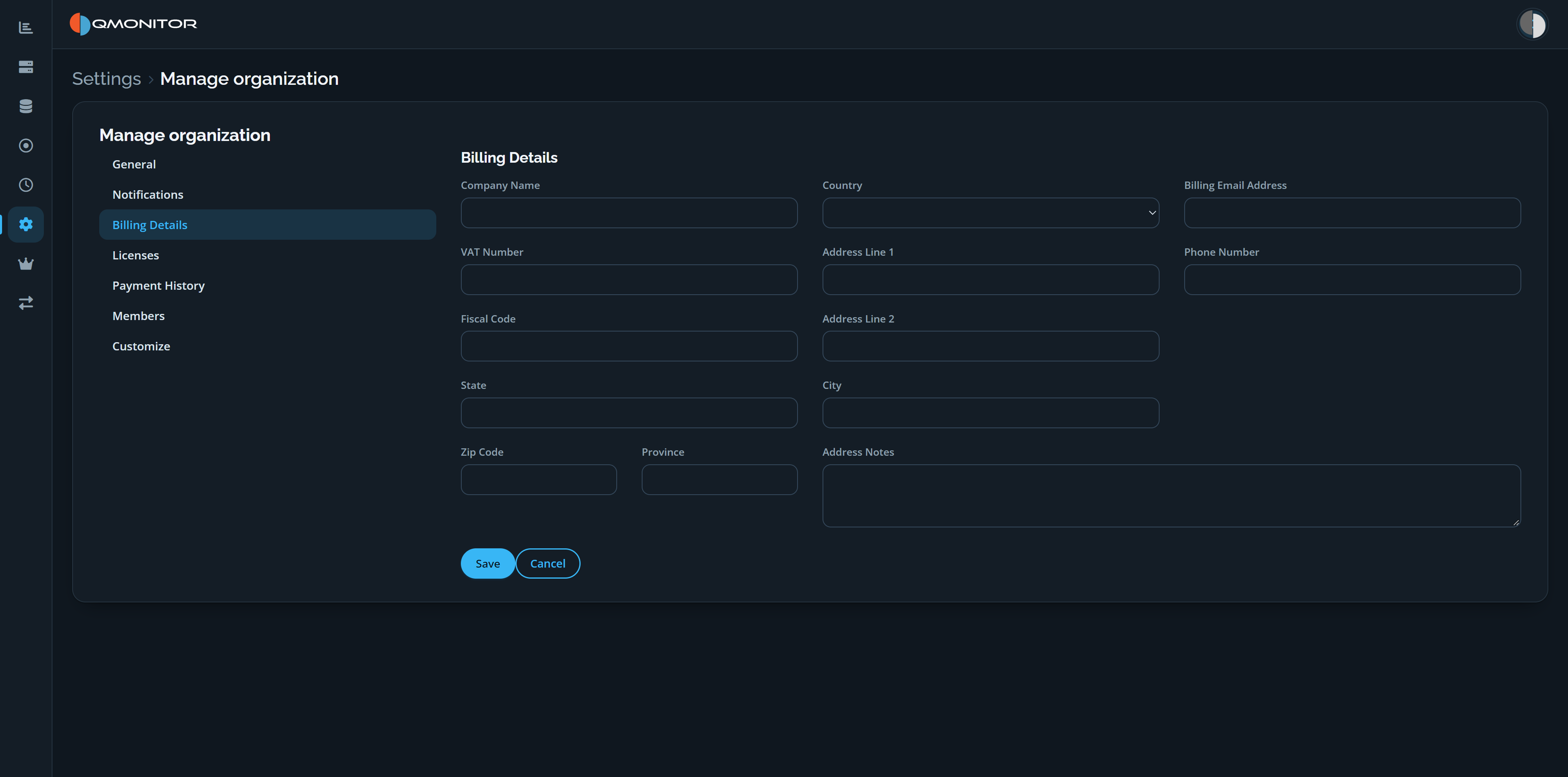 Manage organization page showing the Billing Details form
Billing information form
- Enter the company’s billing details used to generate invoices. The form includes company name, country, billing email address, VAT number, fiscal code, phone number, address lines, city, state, province, ZIP code, and address notes.
- Changing the country in the form will show or hide additional country- specific fields. For example, selecting Italy exposes “Certified Email Address (PEC)” and “SDI Code” fields required on Italian invoices.
- The information you provide here is printed on invoices. Keep it accurate to avoid delays or invoice re-issues.
- Click Save to apply changes or Cancel to discard them.
Purchase prerequisites and VAT rules
- You must complete the billing form before purchasing licenses; the system will block checkout until required billing fields are provided.
- EU reverse-charge VAT: if your company is in an EU country, reverse-charge treatment applies only when you supply the required identifiers (for example VAT Number and/or national fiscal code as applicable). If you do not provide the necessary information, VAT will be applied to the license price and included on the invoice.
Sanctions and restricted sales
- We cannot sell licenses to entities or individuals located in countries sanctioned by the European Union or the Italian Republic. This includes, but is not limited to, Russia, Iran, and Afghanistan.
- If your billing address or company registration is in a sanctioned jurisdiction, purchases will be declined.
Tips and support
- Use official company identifiers (VAT or fiscal codes) to ensure correct tax treatment and avoid invoice corrections.
- If you need assistance completing country-specific fields, contact your finance team or open a support ticket via the Help menu.