Predicate Details
Predicate Details
This page contains a form to view and edit all properties of a predicate, including scoped overrides and the evaluation expressions used by the background engine.
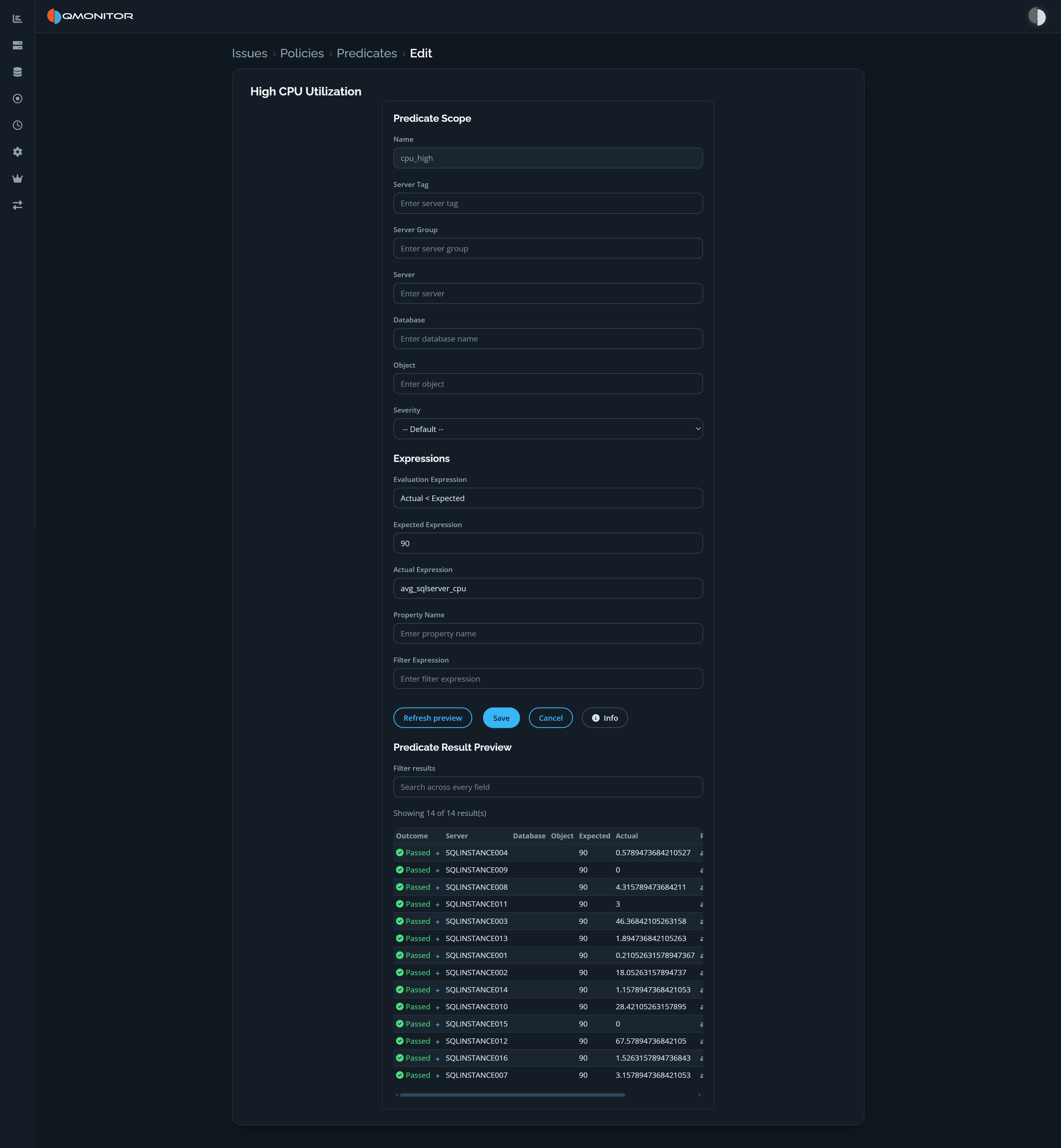 Edit form for the High CPU Utilization predicate, including scope, expressions, actions, and a result preview
Predicate form
- Name: the predicate’s internal name. In the screenshot, the display title
is High CPU Utilization and the name is
cpu_high. - Severity: choose the severity for this predicate, or leave it at Default to inherit the shared value.
Scope controls
- Server Tag: apply this predicate only to servers that have the selected tag.
- Server Group: limit the predicate to servers belonging to a specific group.
- Server: target a single SQL instance for this override.
- Database: restrict the predicate to a particular database.
- Object: restrict the predicate to a specific object (for example, a file, table, or index).
- Use the scope controls to create a scoped override; leaving a field empty makes the override less specific (broader).
Editable expressions and fields
- Evaluation Expression: the boolean expression the engine evaluates. The
screenshot uses
Actual < Expected. Set this to a valid expression supported by the engine. - Expected Expression: the expected value or expression to compare against.
This may be a constant (the screenshot uses
90), a computed expression, or one of the available properties of the object being checked. - Actual Expression: the expression that yields the measured value to be
evaluated (the screenshot uses
avg_sqlserver_cpu). - Property Name: the logical name used to identify the property in UIs and reports. It maps the actual expression to a friendly identifier and can be used by other parts of the system to reference this value (for example in charts or exported data).
- Filter Expression: an optional expression that narrows the set of objects the predicate applies to. Use it to include or exclude specific objects so the check only runs against matching items (for example: database_name = ‘X’ AND file_type = ’log’).
Preview and actions
- Refresh preview evaluates the current predicate configuration and refreshes the result preview.
- Save applies the changes; Cancel exits without saving. The Info button provides additional guidance about predicate expressions.
- The Predicate Result Preview shows how the predicate evaluates across matching servers. It displays the result count and a search field above a table with outcome, server, database, object, and expected/actual values; scroll horizontally to see additional columns.
Behavior and helpers
- Save applies the changes and creates or updates an override for the selected scope. Changing any property (including disabling) counts as an override.